You’ve got your hands on the DJI Mini 5 Pro (or you’re planning to)… and you’re either confused by specs, worried about restrictions, or stuck deciding if it’s actually worth it.
Let’s cut the noise.
The First Reality Check Most People Miss
Here’s the thing no one tells you upfront:
The drone is rarely the problem. Your expectations are.
People come in thinking:
- “This will shoot cinema-level footage out of the box”
- “I can fly anywhere I want”
- “It’s small, so rules don’t apply”
Then frustration hits.
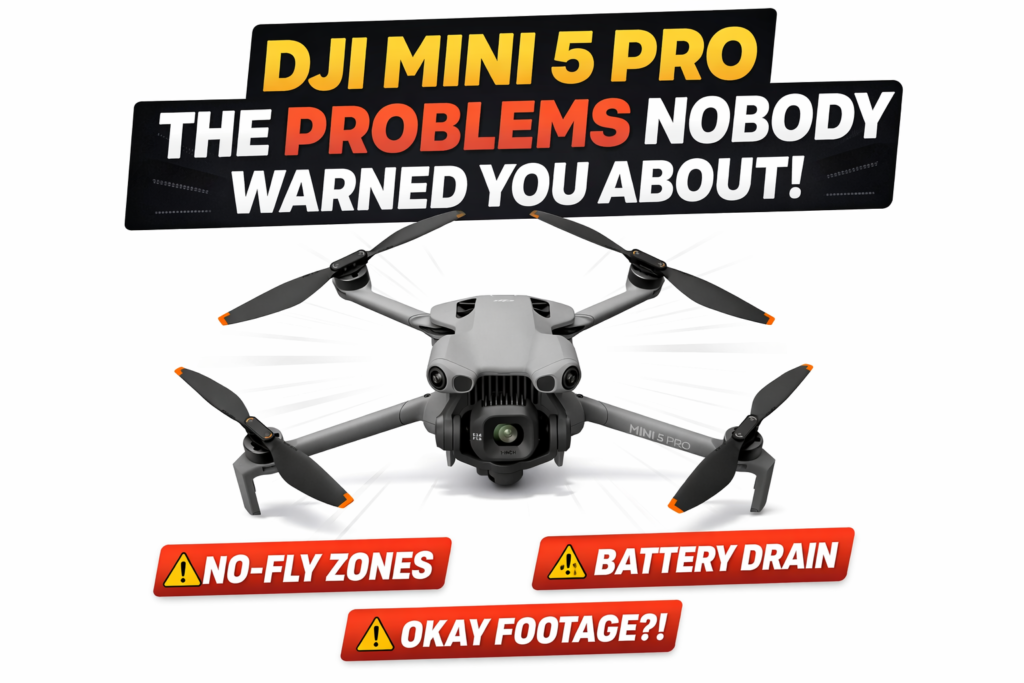
- Footage looks average
- Drone refuses to take off in certain areas
- Battery drains faster than expected
Sound familiar?
Good. That means you’re in the right place.
What the DJI Mini 5 Pro Actually Is (And What It Isn’t)
Let’s ground this.
This drone sits in the sub-250g category. That matters more than any marketing buzz.
What it IS:
- Lightweight, travel-friendly
- Smart obstacle avoidance (likely omnidirectional)
- Strong camera for its size
- Beginner-friendly with pro features
What it is NOT:
- A cinema drone (like Inspire series)
- Wind-proof in harsh conditions
- Unlimited-range flying machine
- Law-free because it’s “small”
That last one trips people up badly.
The #1 Reason Your Drone Won’t Take Off (Geo Restrictions)
You power it on. Everything looks fine.
Then boom:
“Cannot take off. Restricted Zone.”
Yeah. Annoying.
This is DJI GEO fencing. It’s built into the firmware.
Quick reality:
- Airports = locked
- Military areas = locked
- Some city zones = locked
Fix most people overlook:
Unlock it through DJI Fly app (Self Unlock).
But here’s the catch:
- You need internet
- You need a verified DJI account
- Some zones are hard locked (no bypass)
If you’re in Pakistan, enforcement isn’t always strict—but DJI still enforces digitally.
That’s why your drone refuses even when no one is around.
Weak Signal or Video Lag? This Is Usually the Real Cause
People blame the drone.
9 out of 10 times? Wrong.
It’s interference.
Common hidden killers:
- WiFi routers (especially in dense areas)
- Power lines
- Mobile towers
- Your own phone overheating
What actually works:
- Switch frequency manually (2.4GHz ↔ 5.8GHz)
- Fly higher before going far
- Keep controller antennas angled properly (not pointing directly at the drone)
That antenna mistake alone kills range.
Battery Draining Too Fast? You’re Flying Wrong
Everyone says:
“DJI lied about flight time.”
No. You’re just pushing it.
That advertised 30–40 minutes? That’s under perfect lab conditions.
What drains battery fast:
- Wind resistance
- Sport mode
- Constant up/down movement
- Recording in max resolution nonstop
Simple adjustment:
Fly smoother. Fewer sudden inputs.
Think of it like driving a car:
- Smooth = efficient
- Aggressive = fuel burn
Same logic.
Footage Looks “Okay” Instead of Amazing
This one hurts people the most.
You expected cinematic magic.
You got… decent video.
Here’s why.
The real issue:
Default settings are not optimized.
Out of the box:
- Sharpness too high
- Colors too flat or too artificial
- Exposure inconsistent
What to change immediately:
- Set color profile to D-Cinelike (if available)
- Reduce sharpness (-1 or -2)
- Lock white balance (don’t leave it auto)
And the big one…
Use ND filters in daylight.
Without ND filters:
- Shutter speed too high
- Motion looks choppy
That “cinematic feel” you’re chasing? It’s mostly shutter control.
Wind Warnings — Don’t Ignore This One
Small drone = physics problem.
When you see:
“High Wind Velocity Warning”
That’s not a suggestion.
What actually happens:
- Drone tilts aggressively
- Battery drains faster fighting wind
- Return-to-home may fail
Worst case? It drifts away.
Rule from experience:
If trees are swaying, don’t fly.
People lose drones by ignoring that simple visual cue.
Controller vs Phone Issues (The Silent Troublemaker)
If your feed freezes, lags, or disconnects:
Don’t blame the drone yet.
Check this first:
- Phone overheating
- Background apps running
- Cheap cable connection
Fix:
- Turn on airplane mode (keep WiFi off unless needed)
- Use a good quality short cable
- Close all background apps
You’d be surprised how often this fixes “drone problems.”
Quick Comparison — Is It Worth Upgrading or Buying?
| Situation | What I’d Tell You |
|---|---|
| First drone ever | Perfect choice |
| Upgrading from Mini 2 | Big jump in camera + sensors |
| Upgrading from Mini 3 Pro | Depends — not massive leap unless sensors improved |
| Professional work | Good backup drone, not main rig |
The One Thing I Wish Everyone Knew From Day One
This would save people money, stress, and crashes.
Your first 10 flights should NOT be about footage.
They should be about control.
- Learn braking distance
- Learn how it reacts to wind
- Practice manual return
Because when something goes wrong, your muscle memory saves the drone — not the specs.
Still Having Issues? The “Nuclear Reset” That Fixes Weird Bugs
When nothing makes sense anymore:
Do this properly:
- Update firmware (drone + controller)
- Reset drone settings in DJI Fly app
- Re-link controller
- Calibrate:
- Compass
- IMU
And do it outdoors, away from metal.
Indoor calibration messes things up. Every time.
Final Straight Talk
Most people don’t have a drone problem.
They have:
- Setup mistakes
- Expectation gaps
- Or environmental interference
Once you fix those?
The DJI Mini 5 Pro becomes ridiculously reliable.
And yeah — it can produce stunning footage.
But only if you stop flying it like a toy.