


Yeah… I know where you’re at.
You bought a full combo, or you’re about to, and something feels off. Maybe it won’t bind. Maybe the goggles show nothing. Maybe the controller connects but the drone just sits there like a brick.
Happens all the time. Not your fault.
Let’s strip this down the way it actually works in the field.
What a “DJI FPV Combo” Really Means (And Where People Get Tripped)
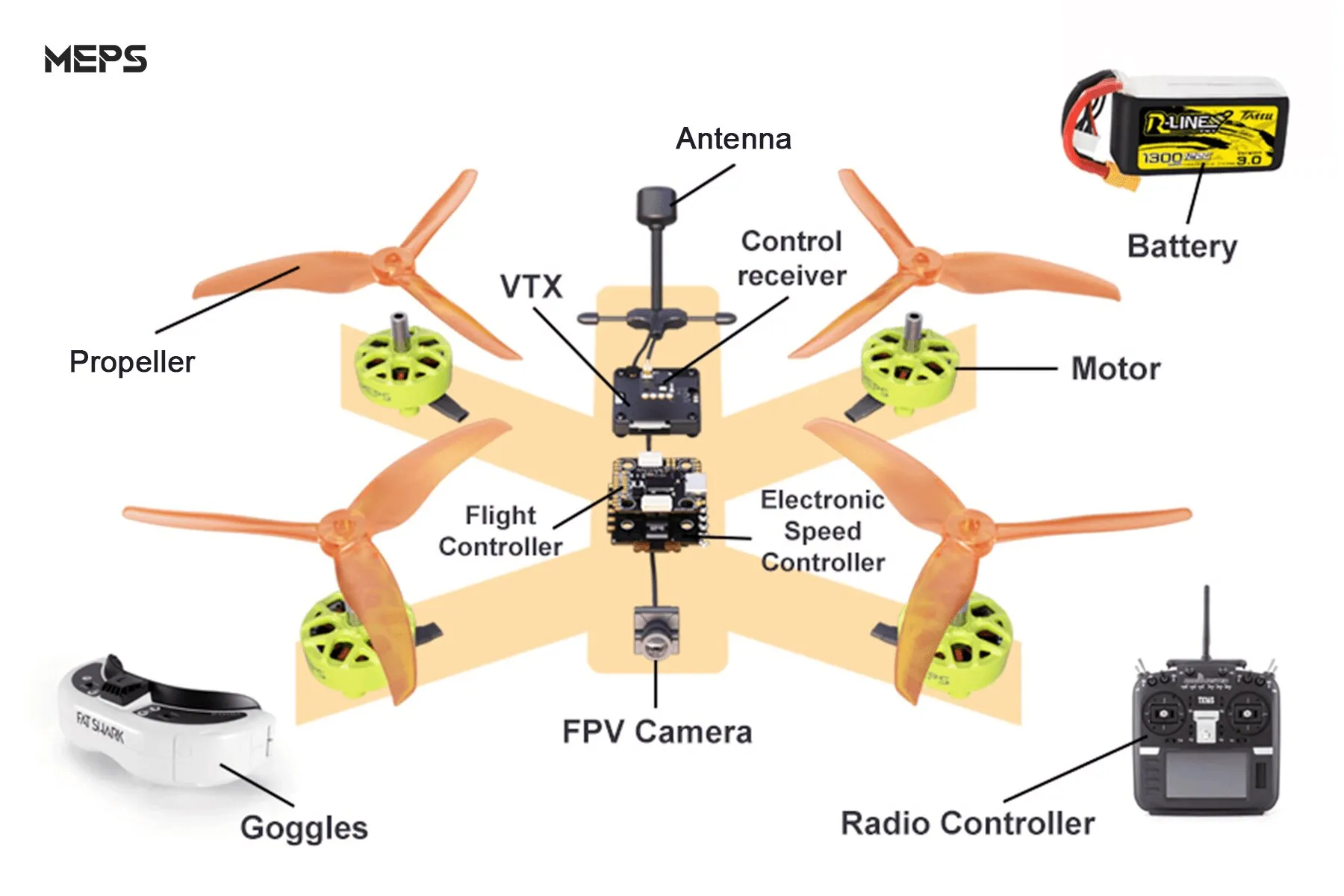
When you see a combo from DJI, you’re usually getting three things that are supposed to already speak the same language:
- Drone (the air unit inside matters more than the shell)
- Goggles (video receiver + display)
- Remote controller (control link)
Sounds simple. It’s not.
Here’s the part most people miss:
DJI has multiple incompatible ecosystems.
Not everything with “DJI” on it works together.
The #1 Reason Things Don’t Connect
You’ve mixed generations without realizing it.
This is the silent killer.
Here’s the reality:
| Component | Works With | Does NOT Work With |
|---|---|---|
| DJI FPV Drone (2021) | Goggles V2, Controller 2 | Goggles 2 (without update quirks), older controllers |
| DJI O3 Air Unit builds | Goggles 2, Goggles Integra | Goggles V2 (unless hacked/limited) |
| DJI Avata | Goggles 2 / Integra | Goggles V2 (limited compatibility) |
If your combo wasn’t bought sealed as a kit, assume mismatch until proven otherwise.
Quick Reality Check (Do This First)
Before touching settings, check the hardware combo:
- Goggles say “V2” or “Goggles 2”
- Controller says “Controller 2” or older
- Drone model: FPV / Avata / custom build with O3
If those don’t line up logically → that’s your problem.
The Binding Process Everyone Messes Up
You don’t just “turn it on.”
You bind in a specific order.
Here’s the clean way:
Pair Goggles → Drone first
- Power on goggles
- Power on drone
- Press link button on drone (small, easy to miss)
- Hold goggles link button until beeping
Wait. Don’t rush it.
Then pair Controller → Drone
- Turn on controller
- Press link button on drone again
- Hold controller power until it beeps
Important:
The drone can only bind to one controller at a time. If it was used before, it may still be locked to someone else’s.
“No Signal” in Goggles? This Is What’s Actually Happening
This one frustrates people the most.
You power everything… goggles say:
“No Signal”
Here’s what I check immediately:
- Camera cable inside drone loose (very common after a crash)
- Wrong transmission mode (DJI vs FPV mode mismatch)
- Goggles not activated (yes, still happens)
- Firmware mismatch
That last one is huge.
Firmware Mismatch — The Silent Breaker
If one device updated and the others didn’t, they stop talking.
Fix it like this:
- Open DJI Assistant 2 (FPV version, not consumer version)
- Plug in:
- Drone
- Goggles
- Controller (separately)
- Update all to latest firmware
All three must match generation compatibility.
Not “latest for each.” Compatible.
When the Controller Works… But the Drone Won’t Arm
This one makes people think the drone is dead.
It’s not.
Common causes:
- Throttle not at zero
- Drone not in proper mode (Normal/Sport/Manual confusion)
- GPS lock required (for certain modes)
- Compass error
But here’s the sneaky one:
Goggles not fully connected = no arming.
DJI locks arming if video link isn’t active. Safety feature.
The Weird Edge Case I See More Than I Should
Someone buys:
- Drone from one seller
- Goggles from another
- Controller used
Everything looks fine.
But the goggles are locked to a different region or firmware branch.
Result?
- Partial connection
- Random disconnects
- Range sucks
Fix?
- Full firmware reset
- Rebind everything clean
- Sometimes… sell and match properly
Yeah. It happens.
Range Feels Terrible? It’s Usually Not the Drone
People blame the drone. It’s rarely the drone.
Check this:
- Antennas on goggles actually attached (you’d be surprised)
- You’re not in CE mode (lower power regions)
- Interference (WiFi-heavy areas kill signal)
Stock DJI FPV should go far. If it doesn’t, something’s wrong.
The One Thing I Wish Everyone Knew
Don’t mix systems blindly.
DJI FPV is not Lego.
It looks plug-and-play, but under the hood:
- Different transmission protocols
- Different firmware families
- Different binding logic
If you stay inside one ecosystem → it just works.
Step outside → chaos.
If You’re Buying a Combo Right Now
Here’s the safe play:
- Get a complete sealed combo
- Or match EXACTLY:
- DJI FPV Drone + Goggles V2 + Controller 2
- OR Avata + Goggles 2 + Motion Controller
Anything else → you’re troubleshooting before flying.
Still Stuck? The Fastest Way Out
Don’t guess. Do this:
- Power everything off
- Update all firmware
- Factory reset (if needed)
- Rebind in correct order
If it still fails after that?
You’ve got a compatibility issue. Not a settings issue.
You’re not doing anything wrong. This setup trips up experienced pilots too.
Once it clicks though? Rock solid.
And when it’s working properly, a DJI FPV combo is one of the easiest systems to fly—no drama, no tinkering, just power on and go.